Kustomer AI Assistants

The smartest way to scale? AI that’s purpose-built and native

Bring intelligence and precision to every stage of the customer journey and every role within your support organization with purpose-built AI assistants and insights.

Schedule Demo
A smiling young person with curly hair is surrounded by seven blue circular icons, each representing different concepts such as organization, teamwork, planning, and analytics, connected by white lines on a beige background.

AI that powers every conversation

Analyze, automate, and optimize intelligently in one platform, without switching tools or buying AI add-ons.
Request a Demo
Data Explorer
Act with confidence using 
real-time insights

Ask questions and get instant answers, guided prompts, and a complete view of your CX data.

Turn insights into outcomes with built-in recommendations, coaching tools, and shareable feedback.

Anticipate issues with real-time trends, clear metrics, and instant root cause analysis.

A dashboard interface greeting a user named Paul, showing options for data analysis prompts. A tooltip highlights “Analyze the busiest times for the org” among several analytics-related choices.
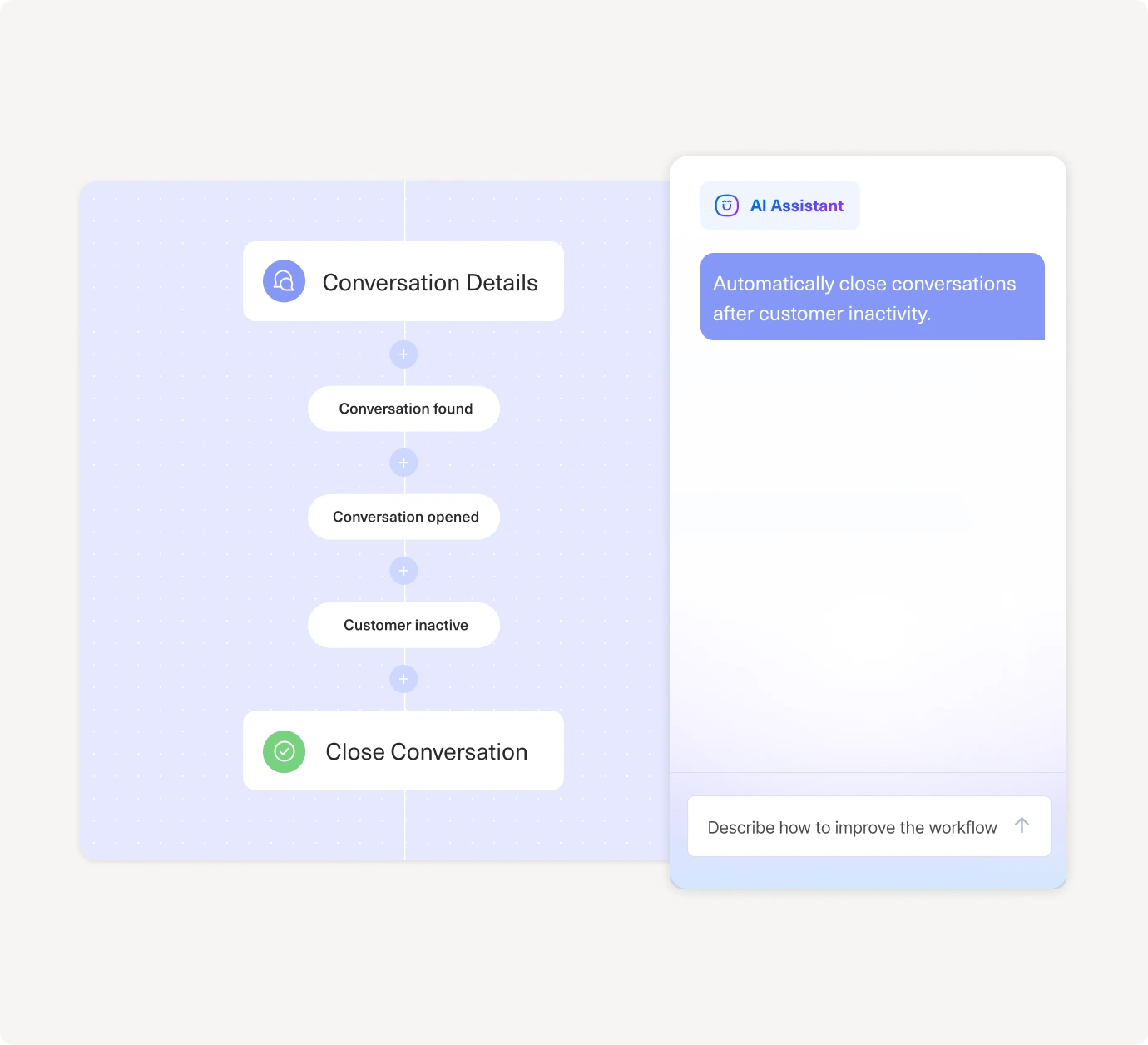
A flowchart shows steps: Conversation found, Conversation opened, and Customer inactive, leading to Close Conversation. Beside it, a chat window displays an AI assistant suggesting to close inactive conversations automatically.
Workflow Assistant
Turn complexity into effortless automation

Instantly create and launch automations using intuitive, step-by-step guidance.

Empower teams to reduce IT reliance through no-code, guided setup.

Eliminate repetitive tasks and streamline processes to save time and boost efficiency.

Knowledge Base Assistant
Build smarter, publish faster

Draft and publish help articles quickly with a streamlined, intuitive editor.

Boost visibility with auto-generated metadata for SEO and AEO.

Improve continuously using insights from real reader engagement.

A screen shows a refund policy with three bullet points next to an AI chat assistant drafting an article about the refund process, with a prompt box below.
A digital interface shows customer questions like “When can I expect my credit?” and an AI assistant asking, “What was the most common reason customers contacted us?” with a text box to refine the search.
Search Assistant
Find anything. Analyze everything.

Find exactly what you need using simple, intuitive queries.

Uncover insights from past interactions in seconds.

Spot trends and take timely action to improve customer outcomes.

AI Agent Team Assistant
Effortlessly build powerful 
AI agents

Rapidly develop and deploy AI Agents with an intuitive setup experience.

Continuously pair with the assistant to get and implement suggested optimizations.

Ensure reliable, context-aware behavior for accurate and consistent responses.

A diagram shows a Team Supervisor overseeing a Tracking Specialist and Order Expert, next to an AI Assistant chat suggesting creating an AI Agent team for handling Where is my order? inquiries.
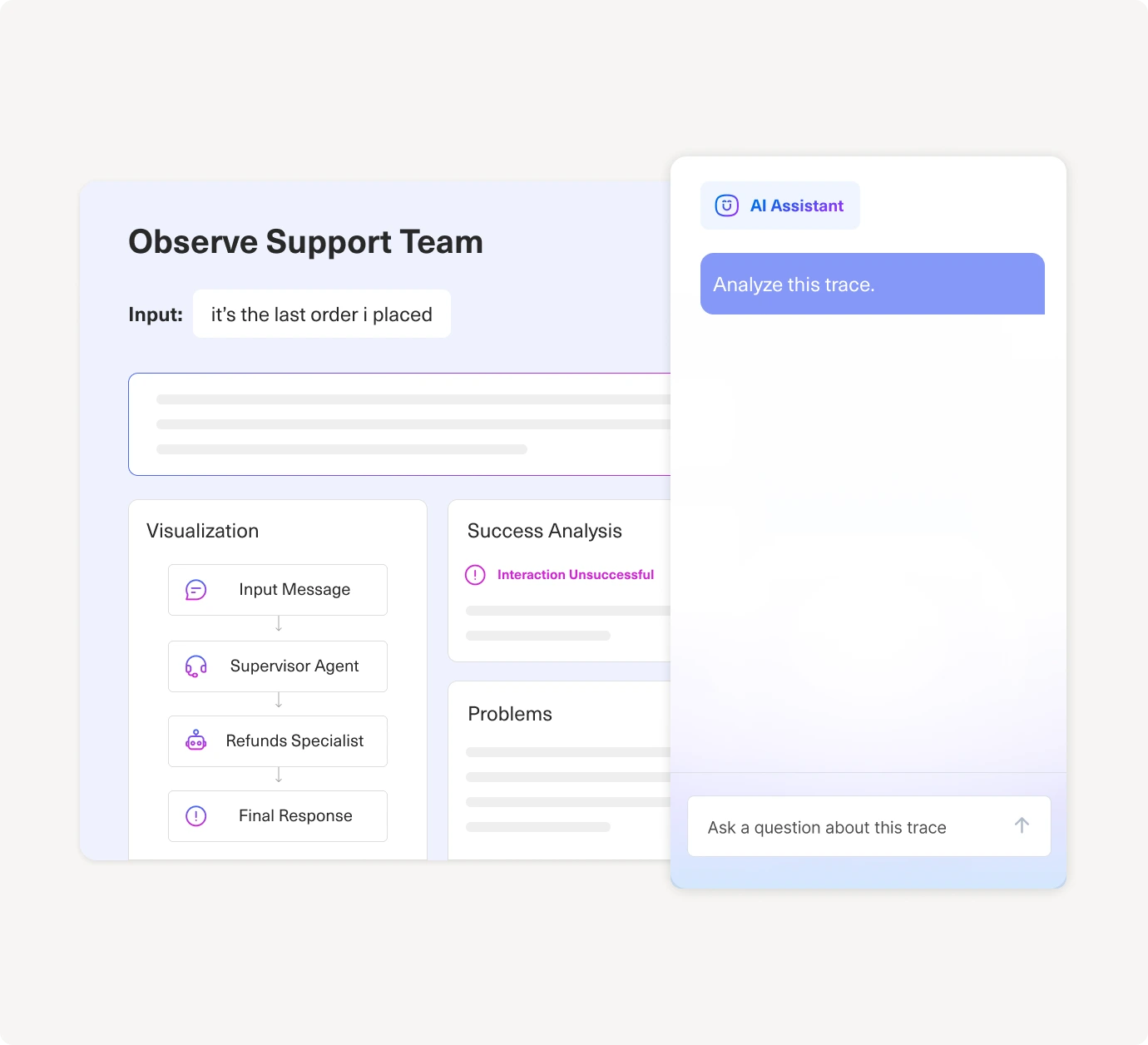
A digital dashboard displays a customer support analysis with input text, success analysis, problems, and message visualization. Beside it, an AI assistant chat window prompts, Analyze this trace.
Observability Assistant
Strengthen your AI performance with every interaction

Summarize what an AI agent did in plain language, including its reasoning, decisions, tool calls, and knowledge used.

Spot the real issues behind failures, like bad tool calls, unclear instructions, missing context, or incorrect knowledge selection.

Take action with clear, step-by-step suggestions to improve accuracy and consistency across agent responses.

Automation Assistant
Optimize your automations for consistency and control

See how your automations really run across products, teams, and channels. Visualize every business rule, trigger, routing path, and queue in one place.

Automatically surface unreachable logic, broken paths, contradictory rules, and conditions that will never trigger.

Cut bloat and prevent routing failures with plain language cleanup suggestions and step-by-step fix recommendations.

A digital interface shows an AI assistant analyzing workflows. A message says, “Analyze all my workflows for conflicts and optimization opportunities,” above a bar graph with several blue bars and one prominent pink bar.

AI that powers every conversation

Analyze, automate, and optimize intelligently in one platform, without switching tools or buying AI add-ons.
Request Demo

Data Explorer

Act with confidence using real-time insights

Ask questions and get instant answers, guided prompts, and a complete view of your CX data.
Turn insights into outcomes with built-in recommendations, coaching tools, and shareable feedback.
Anticipate issues with real-time trends, clear metrics, and instant root cause analysis.
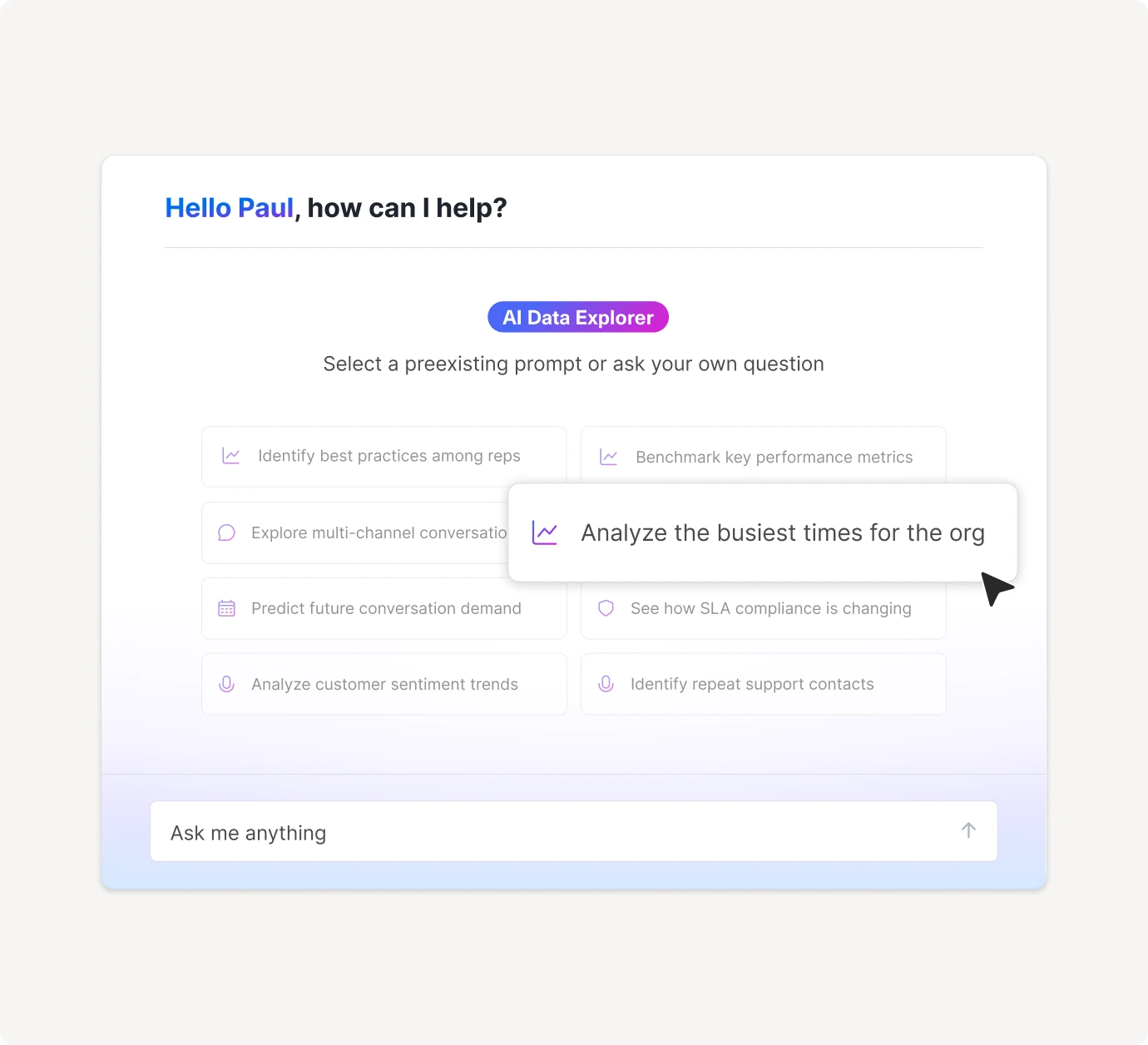
A dashboard interface greeting a user named Paul, showing options for data analysis prompts. A tooltip highlights “Analyze the busiest times for the org” among several analytics-related choices.

Workflow Assistant

Turn complexity into effortless automation

Instantly create and launch automations using intuitive, step-by-step guidance.
Empower teams to reduce IT reliance through no-code, guided setup.
Eliminate repetitive tasks and streamline processes to save time and boost efficiency.
A flowchart shows steps: Conversation found, Conversation opened, and Customer inactive, leading to Close Conversation. Beside it, a chat window displays an AI assistant suggesting to close inactive conversations automatically.

Knowledge Base Assistant

Build smarter, publish faster

Draft and publish help articles quickly with a streamlined, intuitive editor.
Boost visibility with auto-generated metadata for SEO and AEO.
Improve continuously using insights from real reader engagement.
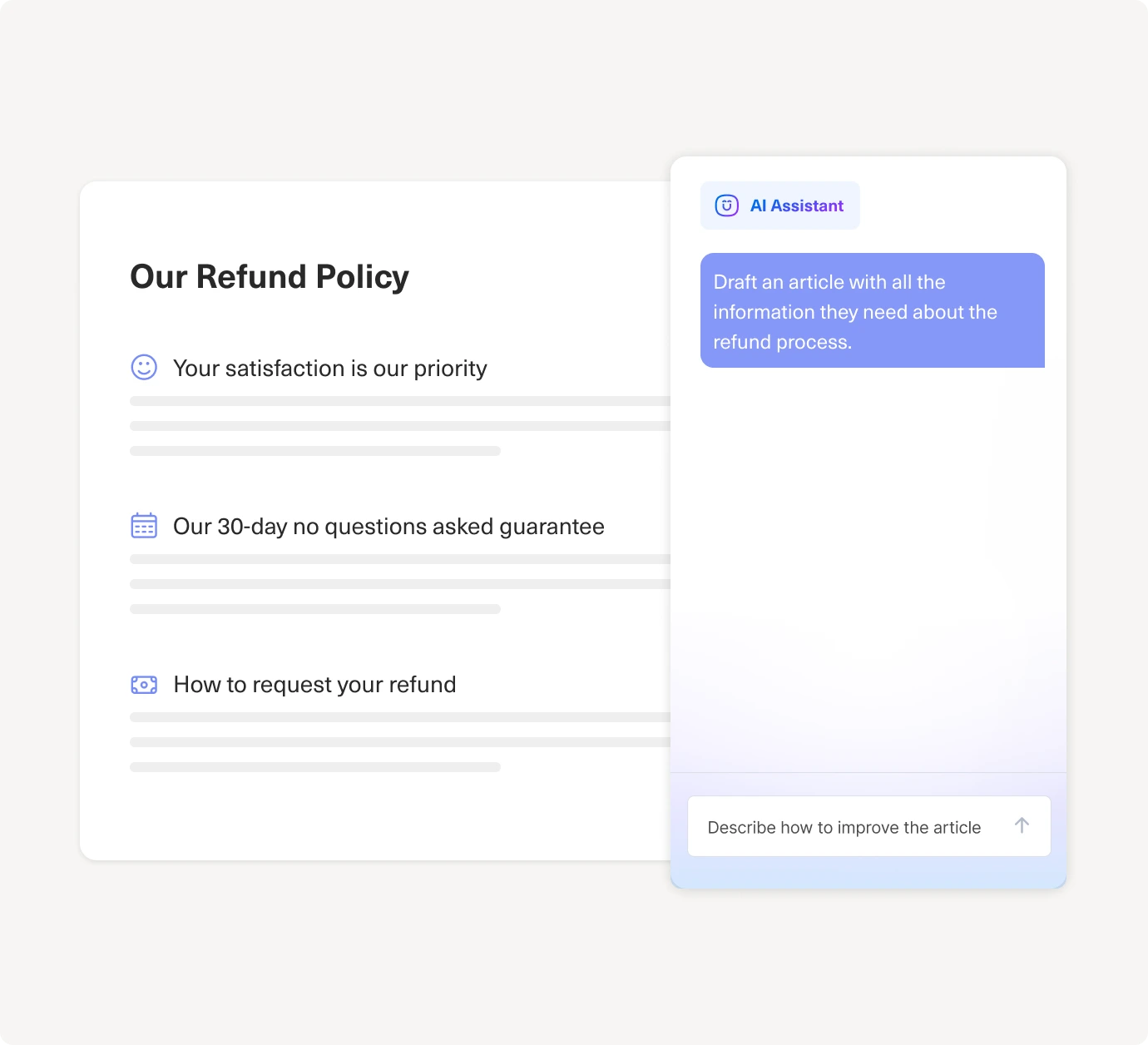
A screen shows a refund policy with three bullet points next to an AI chat assistant drafting an article about the refund process, with a prompt box below.

Search Assistant

Find anything. Analyze everything.

Find exactly what you need using simple, intuitive queries.
Uncover insights from past interactions in seconds.
Spot trends and take timely action to improve customer outcomes.
A flowchart shows steps: Conversation found, Conversation opened, and Customer inactive, leading to Close Conversation. Beside it, a chat window displays an AI assistant suggesting to close inactive conversations automatically.

AI Agent Team Assistant

Effortlessly build powerful AI agents

Rapidly develop and deploy AI Agents with an intuitive setup experience.
Continuously pair with the assistant to get and implement suggested optimizations.
Ensure reliable, context-aware behavior for accurate and consistent responses.
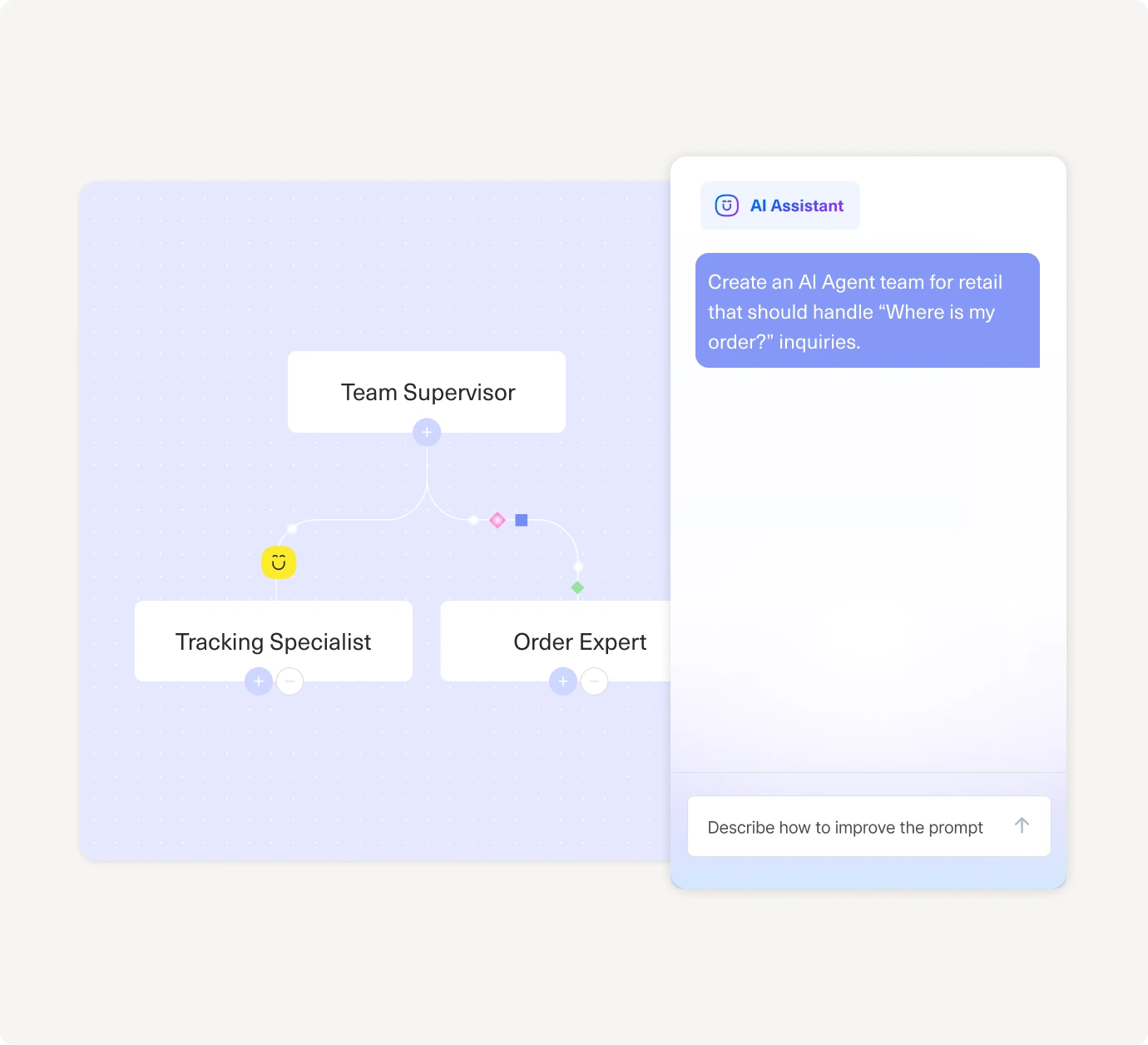
A diagram shows a Team Supervisor overseeing a Tracking Specialist and Order Expert, next to an AI Assistant chat suggesting creating an AI Agent team for handling Where is my order? inquiries.

Observability Assistant

Strengthen your AI performance with every interaction

Summarize what an AI agent did in plain language, including its reasoning, decisions, tool calls, and knowledge used.
Spot the real issues behind failures, like bad tool calls, unclear instructions, missing context, or incorrect knowledge selection.
Take action with clear, step-by-step suggestions to improve accuracy and consistency across agent responses.
A digital dashboard displays a customer support analysis with input text, success analysis, problems, and message visualization. Beside it, an AI assistant chat window prompts, Analyze this trace.

Automation Assistant

Optimize your automations for consistency and control

See how your automations really run across products, teams, and channels. Visualize every business rule, trigger, routing path, and queue in one place.
Automatically surface unreachable logic, broken paths, contradictory rules, and conditions that will never trigger.
Cut bloat and prevent routing failures with plain language cleanup suggestions and step-by-step fix recommendations.
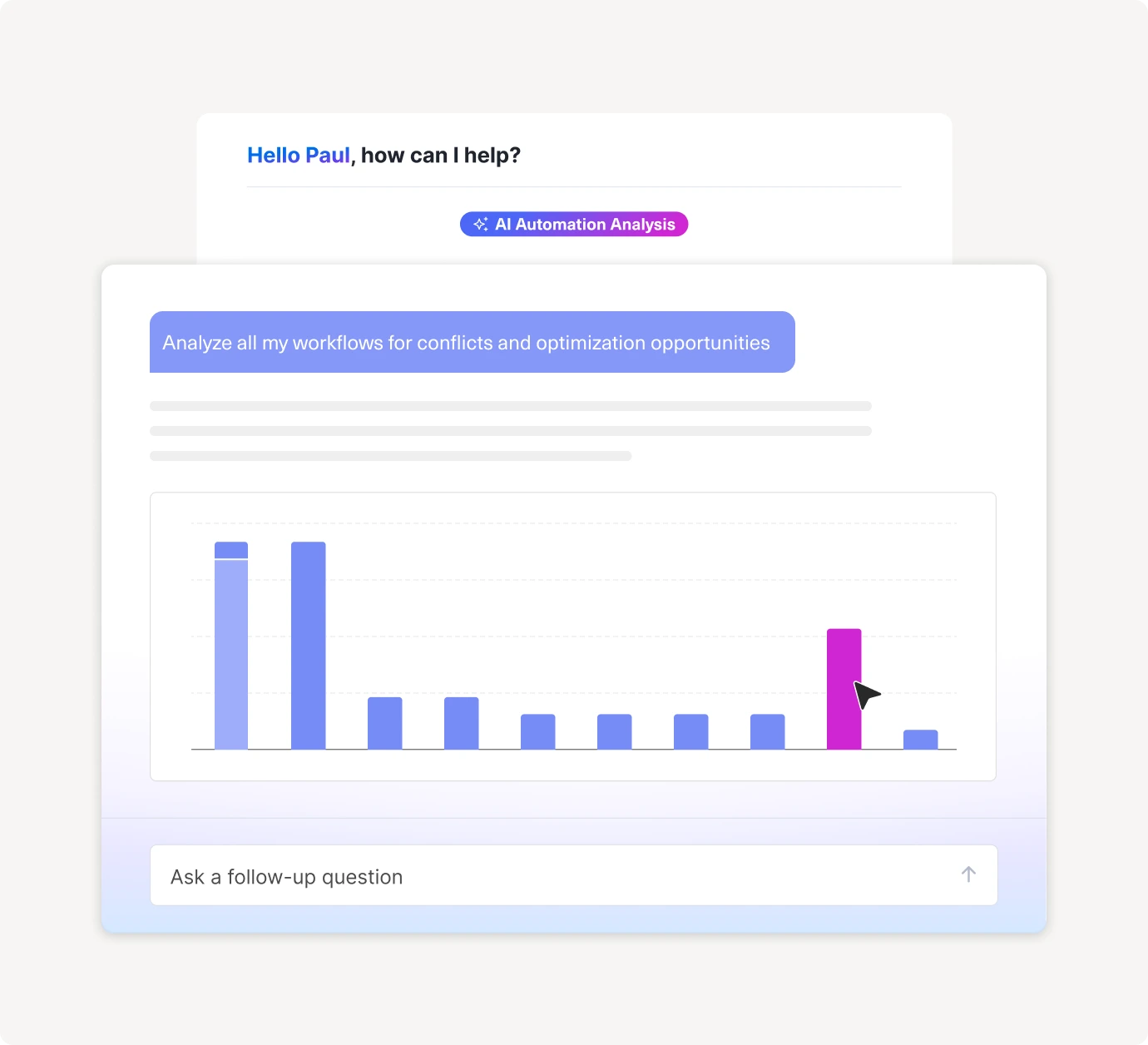
A digital interface shows an AI assistant analyzing workflows. A message says, “Analyze all my workflows for conflicts and optimization opportunities,” above a bar graph with several blue bars and one prominent pink bar.

Smarter AI, happier customers

AI with context isn’t hype; it’s how our customers cut handle time by 45% and boost CSAT 20+ points.
“So far, 40 % of all conversations coming into chat are fully automated using Kustomer’s AI.”
The image displays the word “VALUE” in large, white, semi-transparent letters on a white background, making the text barely visible and difficult to read due to low contrast.
Terra Kaffe maintained mid-90’s CSAT while scaling 4×
White logo with a circular icon on the left and the text Terra Kaffe in a clean, modern font on the right, set against a very light gray background.
Join others using Kustomer

Elevate your customer experience with Kustomer AI today

Schedule Live Demo
linkedin facebook pinterest youtube rss twitter instagram facebook-blank rss-blank linkedin-blank pinterest youtube twitter instagram