Snoozing has long been a valuable tool for managing customer conversations in Kustomer, helping teams delay action until the right moment without losing track of important work. Now, we’re bringing that same powerful capability to Tasks and other assignable objects (Klasses).
Whether it’s a follow-up that can’t happen until next week, a compliance hold with a required wait period, or an approval that hinges on external input, Snooze Status lets your team pause work, reduce clutter, and focus on what’s most urgent, while ensuring nothing falls through the cracks.
Why this matters
Tasks are critical to delivering seamless customer experiences, but they’re just one part of a bigger internal workflow. Whether you’re assigning a follow-up, scheduling a product handoff, or automating operational to-dos through the API, not everything requires immediate action. Until now, Kustomer supported only two task statuses: Open and Done.
That worked for simple use cases, but your teams asked for more. With the launch of Snooze, you now have the power to defer action across Tasks and other assignable custom objects (Klasses). Think of it as unlocking the same flexibility conversations already benefit from.
How it works
Snooze manually, stay in control
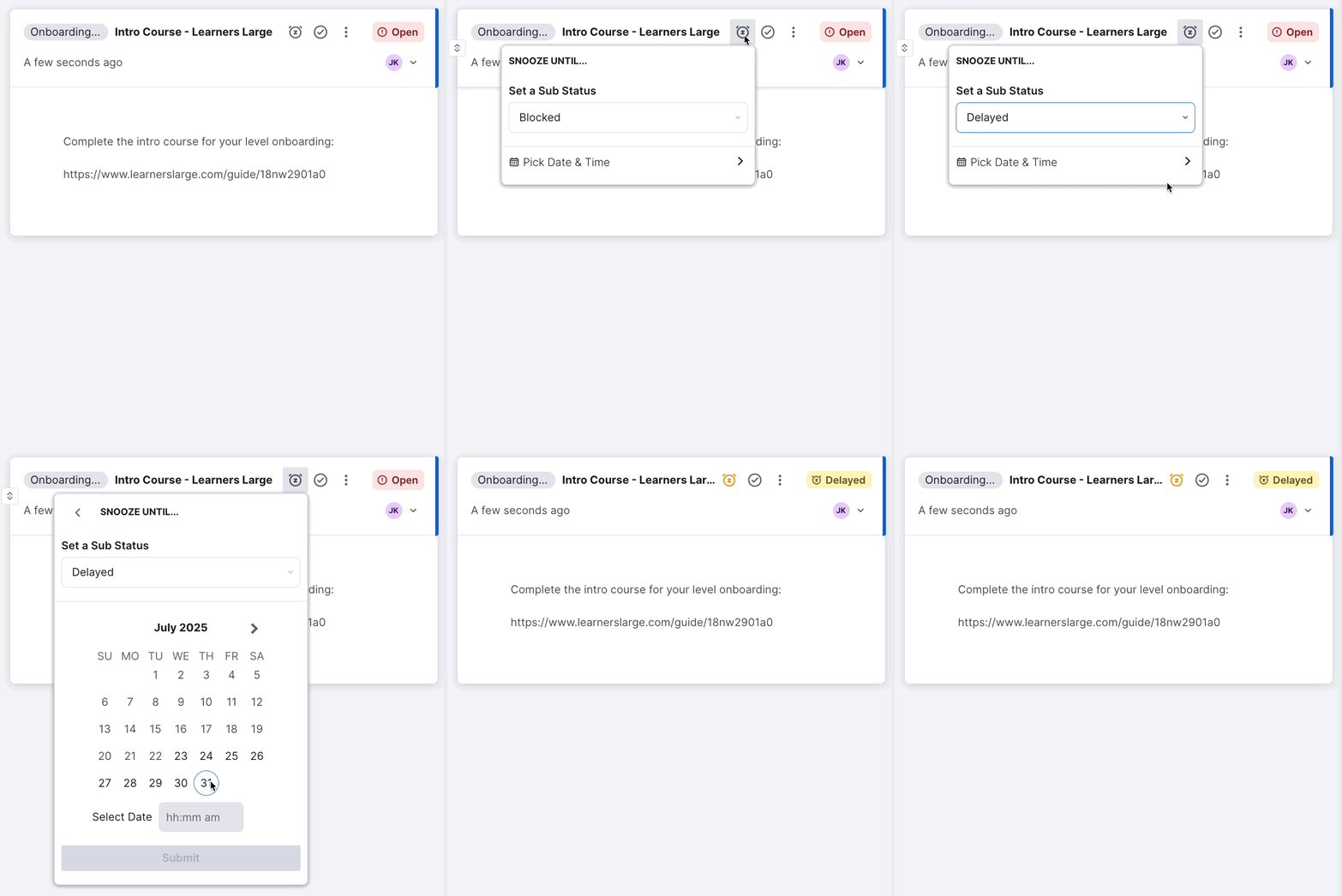
Users can now snooze tasks (or other assignable work) using predefined or custom durations, set by your admin team. Whether you’re waiting on a partner or planning ahead, simply snooze the task and it’ll pop back up right when you need it.
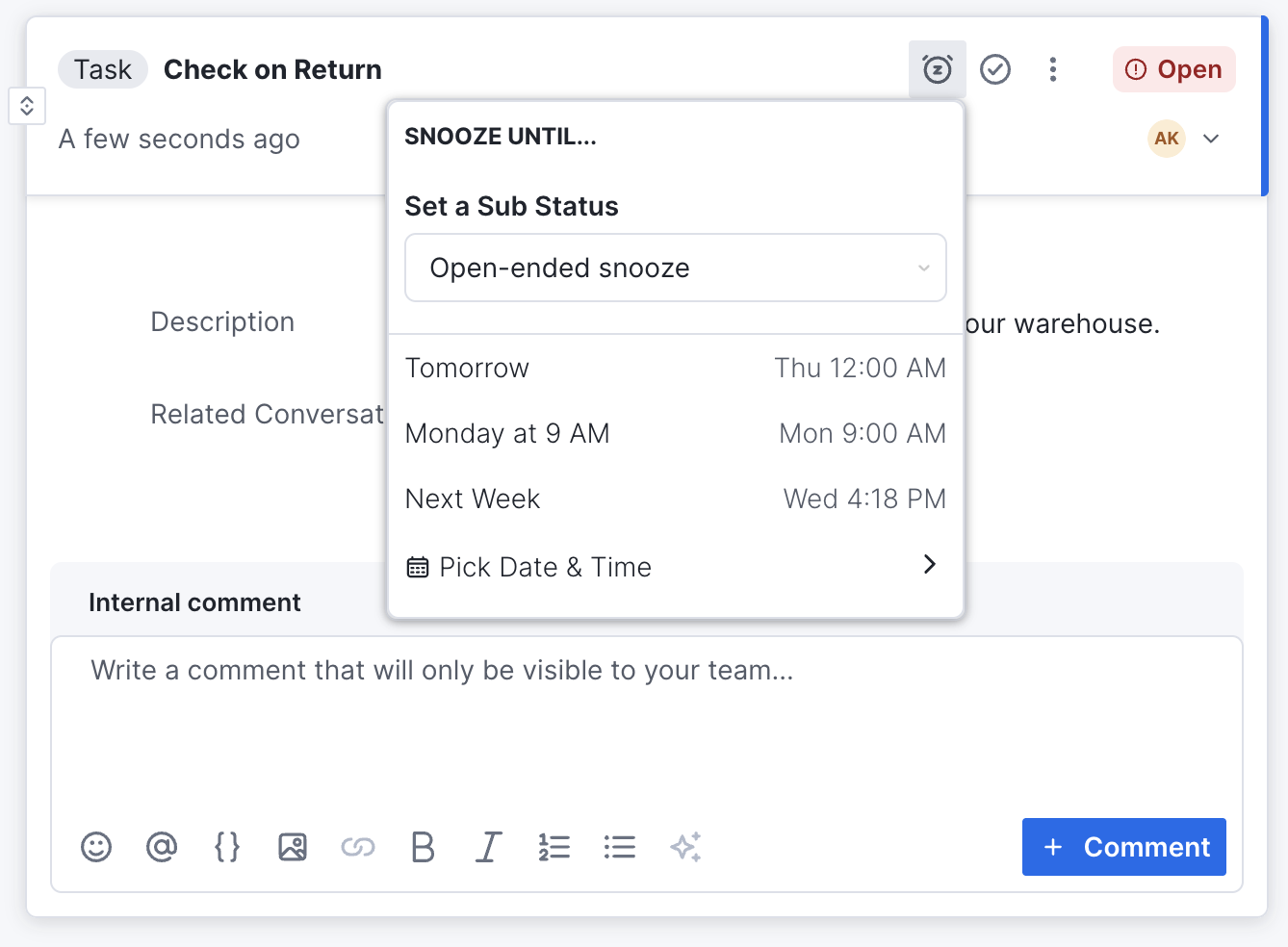
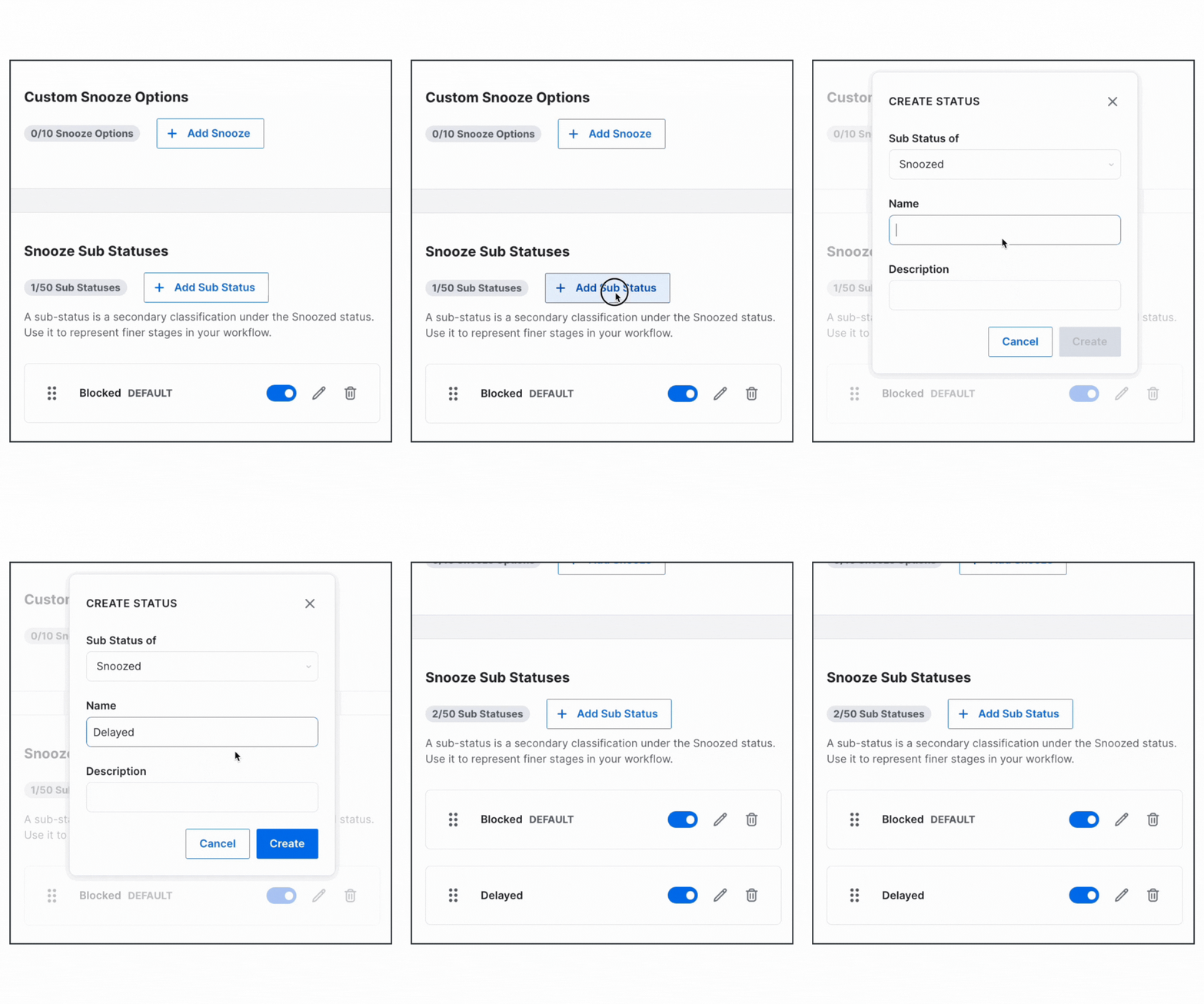
Configure custom Snooze options
Admins can configure up to 10 snooze options per object type, allowing for both absolute dates and relative time windows. Whether it’s “3 days from now” or “next Tuesday,” the experience is intuitive and tailored to your team’s pace of work.
Build Searches for Snoozed Work
Need to find tasks that have been deferred? Managers can create saved searches with snoozed status as a filter and even add task status as a visible column in the results.
Track and report on Snoozed status
Run reports and charts on task statuses, including snoozed—to monitor bottlenecks and review deferred work over time. This gives leaders actionable visibility into how internal operations are flowing (or where they’re getting stuck).
Automate with API or workflows
Use Kustomer’s API to create new tasks or other assignable objects directly in the snoozed state. This is ideal for use cases like:
- Regulatory holds (e.g., waiting periods before processing)
- Scheduling future follow-ups
- Automating recurring internal workflows
Use cases beyond Tasks
While this update is a major win for task management, the Snooze feature applies to any assignable Klass in Kustomer. That means more teams, across operations, support, fulfillment, and finance, can benefit:
- Compliance: Automatically delay processing until regulatory timelines pass
- Approvals: Pause tasks until internal reviews are complete
- Follow-Ups: Schedule a future task to re-engage with a customer or vendor
- Product Launches: Queue reminders for coordinated internal activity
Real-world example
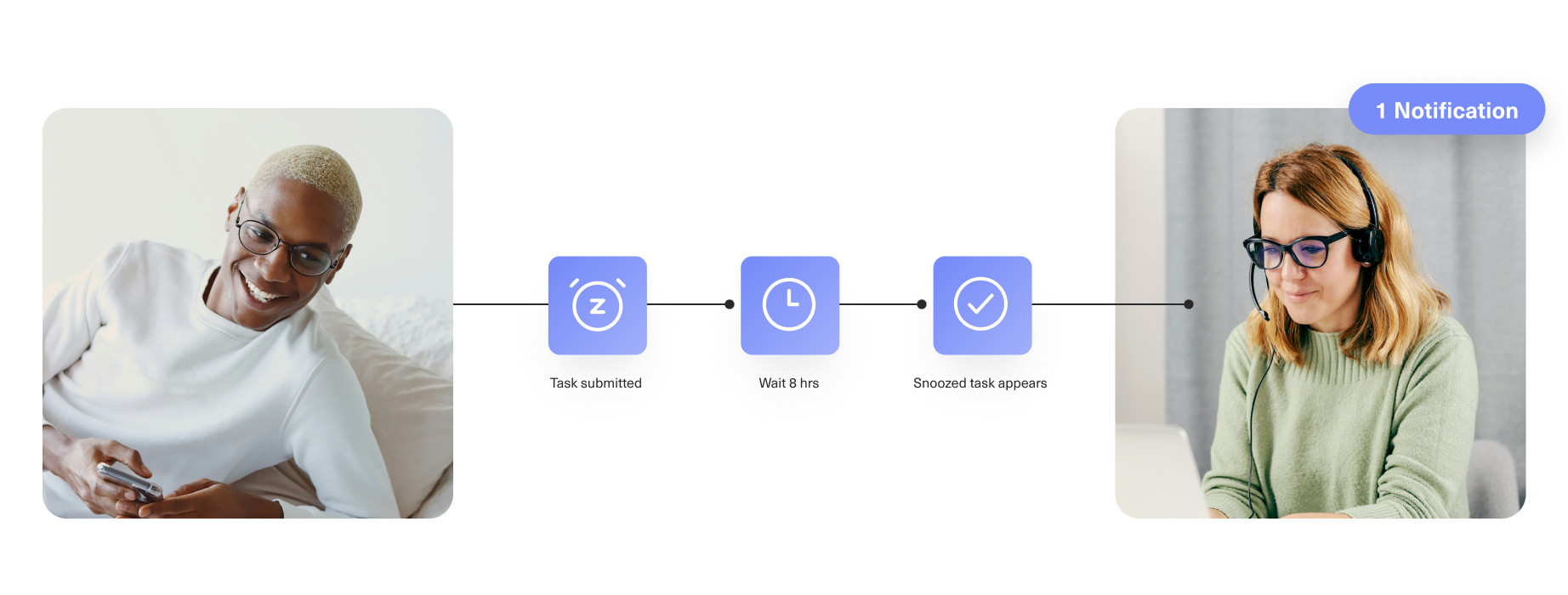
A customer in the contact lens industry must wait 8 business hours after submitting paperwork to an insurance company before fulfilling certain orders. With Snooze, they could automate a task to reappear at the exact moment it’s legally allowed to be worked on, removing guesswork and improving compliance.
One unified system. Smarter internal Workflows.
Kustomer is more than a place for conversations, it’s a system for managing all the internal work that supports the customer experience. With Snooze, we’re closing the gap between tasks and conversations, giving your team the same clarity, flexibility, and control across all forms of work.
Say goodbye to cluttered task lists. Say hello to focus, automation, and peace of mind.
Want to see Snooze in action or configure it for your team?
If you’re a current customer, reach out to your CSM or check out our Help Center for more details.
If you’re new to Kustomer, book a demo to see how Snooze and the rest of our AI-powered platform can help you deliver exceptional customer experiences.